
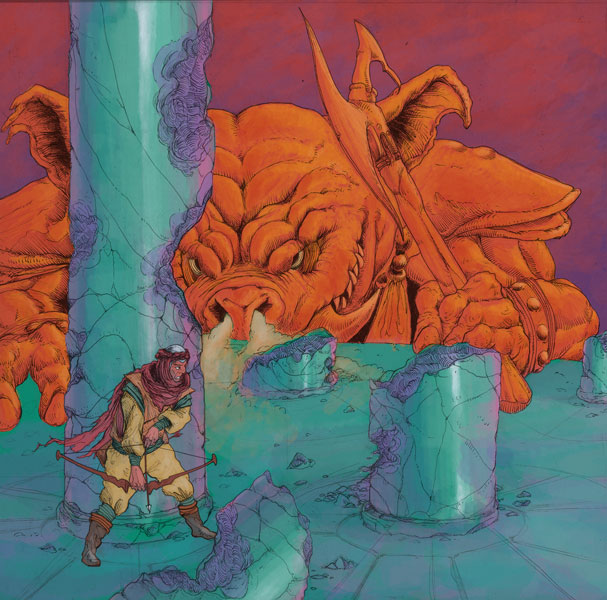
This week we will focus on how to use Photoshop to create textured, paint-like posters. We’ll welcome Steve Ellis, a comic book professional artist, to our class and watch as he demonstrates his learned painting techniques. Get yourselves acquainted with his work, consider what questions you might have for him, and introduce yourselves. He may have some advice on which sketch to pursue for your digital painting assignment. He teaches an in-depth digital painting class here at the VPA school, so keep that in mind if you find yourself wanting to know more.
Before Steve’s demo, we will briefly go over color in PS, brushes and their settings, and then circle back to an explanation of smart objects. I will plan on staying for office hours after class if anyone would like to discuss the animation project.
The digital painting assignment is due Feb. 21. I will upload the assignment document to Slack. Remember no class Feb. 14, as I will be in Alaska skiing.
Here are some digital painting tips:
* Start with a strong sketch. Is there good composition/clear focus? Solid linework?
* Use big strokes at the beginning of painting to block out shapes and define shading. Finish by cleaning up with small strokes. Use simple brushes the majority of the time, use fancier brushes less often for more effect.
* Remember the importance of contrast! A contrast of value (a color’s relative lightness/darkness) makes objects to appear separate. Check how your painting looks in black-and-white.
*Don’t get lost in the details. Periodically take a step back, and ask if this or that detail is important.
* Play with color relations. What color is nearby another affects the other color’s warmth/coolness. Use color to your advantage. Add in white sparsely to pull out an area.
*Add in texture selectively. If texture is everywhere, it may be overwhelming. Decide where you want the focus to be. Crisp lines and details = focus; Soft edges = recession.
Some great Lynda.com tutorials on digital painting:
* How to customize PS brushes.
* Natural media painting features.
* Become a digital painter.
See you tomorrow at 8:30am!

